Guess Who’s Back? - The Constant Revival Of Bingo & Its Incredible Reinvention

 Some things will just never go away. Be it classic characters such as James Bond or Doctor Who, or television stars such as Jimmy Fallon or James Corden, there are just things in society that have become part of its very fabric. When it comes to classic games, one such example is that of bingo - despite being a pretty simple affair, its infectious nature has been passed down through generations and even in the face of a changing society, keeps on coming back.

Before delving into that, however, it’s important to know where we currently stand in the bingo world. The rise of the internet has allowed for bingo to both stay in the halls and move online to casinos on websites. As such, it’s now possible to get the experience of jackpot bingo and gameshow tie-in slots like Deal or No Deal right from the comfort of your own home, instead of having to go out to the bingo hall, where there would usually be physical machines. It’s the technological advancement, for one thing, that has allowed for bingo to reinvent itself, in part thanks to it being brought to a new, more computer-literate and potentially younger audience. With the game on its own being so popular, it’s clear that, with the rise of the internet, it has only become loved on a larger scale.

jackpot bingo
Source: Pixabay


In addition, with the rise of online casinos and their multitude of games, it’s actually allowed for bingo to move away from its traditional imagery and roots. With such a wide competition base out there, every game of bingo can’t be the same and as a result, online bingo has ditched its original form and moved into the 21st century. The primary and secondary colours and balls with numbers of old have largely been replaced with differing themes and also different places to play. In much the same way as slot machines have gone for decades, bingo, thanks to the online age, has started to diversify out into different areas. This in turn allows for a wider player base, helping once again to sustain the interest.

YouGov data from 2018 indicates the shift towards younger adults alluded to earlier, with 28% of players being in the 25-34 age group and 26% being aged between 35 and 44. As such, it can be said that bingo’s reinvention, thanks to both a wider choice of themed games and the overall move online, has precipitated this demographic change. They also state that the way the majority of people in those age groups play is on their smartphones, as well as some on tablets.  In addition, the use of technology also offers an air of convenience that the traditional bingo hall doesn’t offer, especially if players live quite the distance away. With bingo changing and adapting to the advent of the internet, it’s certainly added a lot of people to the player base.

Source: Pixabay
Source: Pixabay

Bingo, as a game, has definitely been positively effected when it comes to its constant reinventions over the years. As much as some may prefer the more traditional game played in bingo halls around the country, the move online has fuelled a revolution of sorts, with a vast array of different themes available from the original, as well as a different sort of player than before.

Why Brands And Logos Are Everything In Online Casino Gaming

 There was once a time when the biggest brands in the casino industry were those of the games themselves. Poker, blackjack and roulette were renowned staples of the industry and little additional marketing was required.

Instead, resources were invested in the branding and marketing of the casinos. Operators conveyed the glamour and excitement of their facility through branding on external signage, advertising, marketing and, in more recent years, in online marketing.


But the industry’s digital pivot has changed all of that and game-brand is now more important than ever before. In this article, we will explore why brands and logos have become so important in online casino gaming.

Breadth of choice

Unlike in years gone by, there are multiple variations freely available for practically every casino game. Of course, games like bingo have long been adapted to offer something new to players, and the latest online bingo games like slingo and jackpot bingo show how that trend is continuing. But it’s games like poker and blackjack that have undergone the biggest branding changes.

For example, there are now many different ways to enjoy blackjack. Often the difference between each version is the size of the stake required, but sometimes the rules are modified or new ways to win are added to provide a fresh twist on the action.

It’s in these instances where branding is so important. The game’s logo, name and even the colours used can articulate what makes a game special or, in other words, why it’s much more than just a standard game of blackjack. This is a major departure from the old days, where games carried very little additional branding.

It’s very much the same for roulette, where operators often offer new ways to win and fresh interpretations of the game's rules, and communicate these changes in the branding and logos used. It’s no longer enough to let the games just speak for themselves.

Source: Pexels
Source: Pexels

Competitive marketplace

Casino gaming has always been a competitive industry, but the sector’s move online has made it easier than ever for new companies to enter the marketplace. Established names battle with disruptive start-ups for the biggest market share, and so logos and branding have become even more important. It’s the same story in other industries. The most successful start-ups have generally utilized powerful, imaginative brands and logos to generate interest.


Established names may seek to communicate their authority and reputation in the marketplace through the selection of classic fonts and traditional casino colours, while newcomers to the industry are more likely to experiment with modern styles and more unusual colour combinations. Many newcomers also seek to corner a niche in the market, such as the growing esports betting marketplace, and the logo and brand they utilize is crucial to articulating that particular specialism.

In a marketplace that’s constantly evolving, achieving stand-out for your brand is more difficult than ever, so it’s easy to understand why operators in the casino sector are making their logo and brand a key priority in their overall growth strategy.

Launching a Startup: How an MBA Degree Can Put You on the Path to Success

There are all sorts of reasons why people choose to launch their own business. Whether it’s for flexibility reasons, being able to call the shots, or pursuing a passion, getting your idea off the ground will take hard work and patience.

Whether you plan to open a retail store, restaurant, or launch your own healthcare brand, you must be well prepared to avoid joining the 50% of startup owners who fail within their first year of operation. Even if you’re full of confidence and drive, having qualifications like an MBA behind you can help you to be taken more seriously by clients. If you’re undecided about what to do, here is how an MBA degree can benefit you in the business world.

startup business

Improving Communication Skills
Communication skills are vital for business owners. Once you start your MBA program, you will notice a huge improvement in your communication skills; many MBA graduates find themselves communicating far better in the workplace with employees, bosses, or colleagues. As you will be working with a diverse team of clients and stakeholders, you need to know how to engage on a personal and professional level. Being a strong communicator ties in with being a great leader, both of which are key for running a successful startup. Expanding Your Professional Network

During your time as an MBA student, you will have many opportunities to connect with industry experts. When going it alone, you will need tons of support and advice. Speaking with professionals in your niche will give you the words of wisdom you need to get started. If you need help along the way, building a contact list throughout your studies will mean you have people you can go to. Getting a startup up and running can be challenging, which is why an MBA can benefit you enormously when it comes to expanding your professional network.

Better Time Management
From the outset, MBA students will become excellent at managing their time effectively. With modules and deadlines to adhere to, it’s your job to study and complete coursework on time. If you fail to do so, you run the risk of falling behind and getting kicked off your course. In the business world, clients and stakeholders won’t stick around if you fall behind schedule. For your startup to be a success, you need to stick to your word and ensure clients aren’t waiting around. Time management skills are what will keep you organized and on track with your operation.

Boost in Self-Esteem
Studying for an MBA can be overwhelming at first. If you’ve been out of education for a while, throwing yourself back into learning can be challenging. However, many MBA students have noticed a huge improvement in their confidence and self-esteem. Setting yourself attainable goals will give you a great sense of accomplishment and keep you going forward. After you graduate, you will need all the confidence and self-esteem you can get, especially if you’re planning to go solo.

Study at Your Own Pace
With lots of people working longer hours than before, finding the time for studying can be challenging. If you are currently in full-time employment, education may be the last thing on your mind. However, there are many MBA programs that you can study on a part-time basis, meaning you can block off time to dedicate towards your learning. Most people can’t afford to take time off work to commit to education, especially when you factor in fees, which is why you should consider a part-time course. What’s more, there are online MBA programs that you can enroll on, meaning you don’t even have to leave your house.

Learn from Past Mistakes
If you have never run a business before, you mustn’t go into your operation with your eyes closed. As already mentioned, half of startups fail within their first year for several reasons, whether it’s because of a poorly executed business plan, not knowing their target demographic, or unsuccessful marketing strategies. An MBA program will cover these key topics to ensure you don’t make the same mistakes as other business owners. One wrong move can have devastating consequences for your business. So, learning from past mistakes will keep you one step ahead.

Make Life Long Connections
No matter what kind of MBA program you pick, you won’t be alone. There are thousands of students who will be in the same boat as you, meaning you have tons of opportunities to network and socialize. Even if you’re studying online, there are video conferencing platforms like Zoom and Skype that you can use to keep connected with others. During your course, you will not only get to know industry professionals, but other students who can come in handy once you’ve finished. You may find that you share the same passions and goals as a fellow pupil, meaning you can team up and work together if you don’t know what you’re doing. For those that have the drive and confidence to go it alone, click here to learn more about how an MBA can give you a powerful edge over other students.

Better Management of Finances
Whether you’re on a tight budget or have lots of money to put into your business, you must know your finances inside and out. One of the reasons why so many startups fail is due to poor financial management. In your business plan, you should have your finances laid out which will help you stay within your means. You may find that you need investors to come on board and fund your company. So, having extensive knowledge of the financial side of your company is critical. During your MBA program, you will learn the A-Z of money management, which will be invaluable.

Launching a startup is no easy feat. Getting everything organized and going live will take hard work, determination, and patience. No one wants to fall at the first hurdle, but arming yourself with credentials like an MBA will teach you the ins and outs of the business world. Getting a sound knowledge of how business owners think and operate will help you when it comes to running your own company.

What Trading Websites Should I Use As a Beginner?

 So you're ready to become your own stockbroker with online trading. The learning curve can be a bit steep in understanding how the stock market operates, but lots of trading websites offer plenty of tools to set you up for success. Read on to learn how beginners can get into online trading.

What Is Online Trading?


To buy and sell stocks, you can hire a licensed stockbroker to execute trades on your behalf, or you can use one of the many online trading websites and do the trading yourself. Any investment in the stock market comes with some risk, but with some research, you can learn the ins and outs of how the market works. Trading websites offer educational tools, market analysis, and graphs to study. They can help you learn how certain stocks perform and give you tools for smart investing.

Choosing a Trading Website

As you navigate the world of online trading, think about how the following features can best help you:
  • Educational resources: Some sites use articles or blog posts to teach and others offer webinars or videos. Check out the library of tools and try a few to see how they fit your learning style. An interactive quiz or practice trades with pretend money might give you a boost of confidence.
  • Navigation: Consider if the site feels user-friendly to you, if it's easy to find what you're looking for, and if a mobile site is important.
  • Transparent fee structure: Before you make your first trade, figure out if the site is clear on what each transaction will cost you, if anything. Fees can build up over time and eat into your returns.
  • Reputation: Reading unbiased reviews and rankings from actual users can go a long way in helping you choose a site. The stock market moves fast, and the website should be reliable and responsive to your trading requests.
  • Account minimums: If you aren't ready to invest a big chunk of your savings into stocks, a site with no minimums might be the right fit. Some even offer the ability to purchase fractional shares of the more expensive stocks offered by big companies.
  • Customer service: Some sites offer 24/7 customer service by phone or by chat, which may help you if you know you'll be trading outside business hours. If you anticipate wanting help from a real person, a strong customer service department may be the site for you.

What to Consider Before Online Trading

It can be useful to approach online trading with at least two bits of knowledge. The first is that the stock market can be volatile and there's an inherent risk in trading. The second is to make sure you choose your budget limits and stick to them. You'll likely feel more confident and calm in the midst of an unsettled market if you're prepared for losses and if you haven't invested more than your budget allows.

Armed with ongoing education and experience trading online, you may see good returns on your investments.

Key Things to Know Before Playing Casino Games

These days, many people are looking at getting into playing casino games, but before you dive in head-first, there are a few points to bear in mind first that will help you to enjoy your time and ultimately, become a better player and maximize your chances of success. While you may go in wanting to hit the jackpot at the earliest possible opportunity, you are better off approaching casino games with a more measured and balanced attitude.

The House Has an Advantage

When you are playing casino games, they can get frustrating if you don’t remember that the odds are tipped in favor of the house and, therefore, the house is more likely to win. If you don’t assume that you have the upper hand, you will naturally go in with a more balanced approach to the games that you are playing and will, therefore, be less likely to get big-headed. Of course, this doesn’t mean that people don’t make money from casino games, but many of them do not.

Playing Casino Games


Luck Is an Important Factor

The level of skill involved varies from casino game to casino game, but luck is always going to play a crucial role in your success or failure. So, next time that you play a Unibet live casino, it is worth keeping this point firmly in mind. The house always plays the games in a very specific way that is not reliant on luck but is designed to tilt the game in their favour. However, your success or failure is bound to feature at least a little bit of luck at the heart of it.

Practice with Play Money

If you don’t want to go straight into cash games, you could always practice with some play money first. This way, you can develop a strategy without worrying about losing your cash. You may even find that this is the more fun approach, and you would prefer to approach gaming in this manner. Another advantage of this approach is that it allows you to experiment with different casino games without committing to one too deeply.

Set Your Limits

Rather than going in with an unlimited budget, it is a good idea to set your limits beforehand. This way, you are not in danger of losing more than you can afford. Many online casinos allow you to set limits, so it is a good idea to establish these barriers before going any further. If you cannot afford to lose cash, it is not worth playing the game in the first place.

Quit While You’re Ahead

Rather than pushing your winning streak too far, you are better off quitting while you are ahead. All good things must come to an end and you will walk away an awful lot happier if you do so with some money in your pocket! Keeping these points in mind before you start playing casino games will enable you to have an even more enjoyable experience.

How do I sue a company for personal injury?

Any business knows that personal injury claims are just one more of the costs associated with doing business. On the other hand, any customer walking into a business has a right to expect to be relatively safe there. However, on occasion, the business fails to meet that obligation, resulting in an injury to the customer.

personal injury

What elements must be present for you to be able to sue a business?

Basically, there are three points that must be present when you want to sue a business for having slipped and fallen within their premises. These three items typically make up a negligence claim and they are:

  • The business has a duty of care that should be extended to all of its customers
  • There must have been a breach in that duty of care
  • It must be that breach that caused the injury or harm

What are the first steps you must take to prepare for your lawsuit?

When the injury happens, it is important for you to document it. Take pictures of what happened, and if you are unable to do so, ask a friend. If no one is around that could take them, go back when you are able and photograph the scene. Also, get statements from witnesses and write down everything that happened. You may not remember all the details later on.

Another priority should be for you to get medical attention right away to take care of your injuries and save all paperwork you receive and all medical bills. And if you can’t drive yourself to the emergency room, request emergency medical services, and document that as well.

After that, contact a personal injury attorney to help you build a strong case and guide you through any negotiations should you receive a settlement offer before the trial.

Why is it important to keep all medical records?

Bills, notifications from your doctors, and medical records are important because they will help determine how much you have spent trying to recover your health. They will also serve to corroborate how severe your injuries were. Don’t discard any expenses related to mental health or physical therapy which can also be added to the amount you are seeking as compensation.

Take pictures of the injuries, bruises, cuts, stitches, and swelling as soon as possible and add them to your medical file.

How can a personal injury attorney help you?

If you are contemplating a possible lawsuit, talk to a personal injury attorney right away. They will listen to what you have to say and help you understand if you have a strong case. They will also review the evidence you have and explain to you what else needs to be gathered to make your case even stronger. By no means should you proceed with the claim without an attorney, the other side will certainly have one.

Are you worried about hiring a personal injury lawyer because of the cost?

You may want to contact a lawyer that is willing to work with you on a contingency basis. This means that you will not have to pay any fees unless you win your case. Many personal injury lawyers use this method when presenting a claim.

Although in the end you may still be responsible for filing fees or the cost of court reporters, working with an attorney on a contingency basis will make everything much more affordable.

Filing a Lawsuit Against a Company

As a first step, your attorney will file a complaint in court. It will state the facts of the dispute and request a specific relief. It will also identify the party responsible for your injury. Then notice must be served to the defendant. This is done by hiring a process server to hand-deliver the summons to the representative of the business you are suing.

The defendant has to review the complaint and give you an answer. They may deny or admit it, or they may state that they have insufficient knowledge of the facts to make any statement about it. Your lawyer will be informed of their answer.

The process of discovery begins when both parties request and receive the documents held by the other party and questions can be asked either in oral or written form. The aim is to narrow down the issues that are in dispute.

The next step may happen when you are asked to sit for a deposition where the defendant’s lawyer will ask you questions. The business will then file for summary judgment. In the end, you may be offered a settlement or go to trial.

It is vital for you to have an experienced personal injury lawyers Orlando working with you. 1-800-Injured is an attorney and medical referral service that can connect you with the legal help you need.

3 Reasons You Need to Understand and Use the Cloud

By this point, most of us know that the cloud does not refer to the fluffy nimbostratus, cumulus, and cumulonimbus structures in the sky. The cloud refers to the massive data accumulation stored in virtual centers around the world.

Many people think that only mid to large companies use the cloud. The reality is you use the cloud everytime you bring up Google Docs to write a document; you use it anytime you are working on an app or piece of software that updates and saves in real-time. Chances are, you’re using the cloud right now as you share music or files.
Cloud networks
Cloud networks are essentially overtaking old legacy technologies and whether you’re a private entrepreneur or a small business owner, you should consider understanding the cloud better.

Cloud Technology Generates Better Data

The majority of top-notch organizations are using data insights gleaned from cloud technology. This affects virtually every industry, from parking management to farming.

In the former example, integrated smart technologies allow cities and parking management clients to use sensors and real-time metrics to better monitor their operations. Premier parking software systems now use cloud technology to manage everything from meters and payments to permits and parking enforcement.

We mentioned farming, which is a sector normally not thought of as high-tech. But the reality is, agriculture and farming are using cloud technology and smart devices just as much as any other industry. Farmers use smart sensors to collect data from their crops and they use the cloud to upload that data into a centralized database that they can access anywhere. Surprisingly enough, many of the tractors used on farms now are themselves connected to smart technology that interfaces with the cloud.

Cloud Tech Makes Everything Faster

As they say, time is money. Companies that are able to shave seconds or minutes off product and service pipelines thrive; companies that get stuck in the weeds of legacy technologies wither and fail.

Dell has produced data showing that companies which invest in cloud technology experience 53% faster revenue growth. This is a percentage that will probably grow even greater in the coming years.

According to Wired, a great example of cloud technology driving growth is Kuma Games, a 3-D immersive video game company that since 2007 has partnered with IBM’s cloud solutions to bolster and expedite their graphics and game output.

These statistics aren’t accidents. This is a consistent trend among leading companies this decade and it is expected to continue on into the 2020s. If you’re starting a company, you should heavily consider investing in a cloud platform for your operations.

The cloud pays back

This one is particularly relevant to startups and small business owners. Even if you’re just a one-person LLC, cloud technology is not outside your purview. There are measurable gains attributed to the cloud. Even better, you can scale up based on your own growth.

As we mentioned in the beginning, almost everyone who works professionally these days uses the cloud on a daily basis. Cloud technology is ubiquitous in the business world, just as it is in our daily lives.

The question is: are you going to harness its power for your advantage? Data is data. Without human interpretation, it means nothing. If you’re running a business, it makes sense to have cloud technology not only as a fail-safe data backup, but to streamline your overall processes.

Have you ever worked with a company that routinely sends you important information or products to the wrong address? Even though you know you’ve personally emailed them several times to make sure they know your correct address? Somehow, they still get it wrong. 

This is because they have different departments who are not synced up on a shared database where information is updated in real-time. This is why the cloud is a superior technology.

Do It Yourself Does Not Have to Mean Going It Alone

 So many DIY projects go south because the intrepid handy person decided they didn’t want any help. Their self image of rugged independence drives them to do hard things by themselves so that they can boast to others and feel good about the fact that they did it all by themselves. Many people recovering in hospitals right now felt the same way 24 hr. ago. They will be wearing a cast for the next 12 weeks as a reminder of how ill-advised that way of thinking really is.

DIY projects
Let us also recognize the fact that there are things that should simply never be done on a DIY basis. Consider this checklist as a way of determining if you should even attempt a given project:
  • The job requires specialty knowledge and experience you don’t have.
  • The job tends to require a crew of experienced workers to which you have no access.
  • The project will likely cost more money than you have set aside.
  • The project usually takes more time than you can reasonably budget.
  • The risk of doing the project yourself is greater than the potential gain.
If any of these things are true for your project, you should stop now and call in a pro. However, if you insist on forging ahead, here are a few projects to which you should probably give a little more thought

Painting

Before you head off to that home improvement store and pick up a bunch of painting supplies you don’t really know how to use, consider the fact that they make it look easier on their commercials than it really is. What they don’t want to tell you is that for this job, you might be better off asking Siri to find painters near me.

At the very least, talk to a few friends who have tackled a big painting project, especially outdoor painting. You might need to set aside some extra time because they have some nightmare stories to tell. You can visit the house of friends who thought they did a pretty good job and see for yourself that they really didn’t.

If you are going to sell that home, you don’t want the potential buyers to see your handiwork. You want them to see what an experienced professional can do. You can lose serious value by doing that particular job yourself.

Roofing

So you think you’re ready to replace a roof. How are you when it comes to ladders and heights? How sloped is your roof? Is it two or more stories high? If you are a little shaky with any of the above, you shouldn’t even be thinking about it.

The consequences of getting it wrong are dire. Never mind the possibility of falling down and breaking your back. There is the danger of you completing the project without knowing about the little mistakes you made. Those mistakes can become leaks you are not aware of that cost you thousands of dollars in damage. There could also be weakness in the connections. Combine that with a material that is too heavy for your structure and you could be looking at a partial or total collapse. Unless you have some experience in construction, give that project a little more thought. Then call in a pro.

Electrical

I don’t have to tell you about the dangers of playing with fire. Electricity is an order of magnitude more dangerous. It is most likely okay for you to carefully follow instructions for putting in a ceiling fan or light switch. Those tasks are not overly difficult.

Don’t mistake that for meaning the task is trivial. It is not. And in some cases, you are definitely going to want to call an electrician for that ceiling fan install. If there is already a light fixture where you want the fan, you should be able to do it yourself. If not, there is a lot more to the job. Make the right call. That call would be to an electrician.

We love the DIY culture. We love independent types who are willing to try new things and master new skills. We also want people to be safe. When it comes to painting, roofing, and electrical, don’t just consider the upside. Think about what you have to lose.

Running Your Business From Home During COVID? Reduce IT Costs

Launching and sustaining your own small business is already hard enough in normal times. The pandemic has thrown about twenty new wrenches into the clockwork, complicating everything from investments, clients, and contracts to payroll, staff, and information technology (IT). 

own small business
While we can’t solve all of these (at least in one blog), we can offer some tips about how to reduce your IT costs. Since IT is an especially big piece of the pie in a new business, understanding how to best leverage your tools and assets is critical. 

Use the cloud to outsource your ecommerce platform 

It’s hard enough to convert customers and clients. The last thing you need to worry about is whether your website’s self-hosted checkout portal is stranding potential sales. Have you ever clicked ‘checkout’ only to find that the company’s payment platform is so confusing that you’d rather just exit the screen and abandon your purchase altogether? That’s exactly what you’re trying to avoid as a business owner.

Newer cloud-based platforms allow you to streamline your sales while also boosting customer engagement, reducing overall IT costs, and eliminating bandwidth and transaction fees.

The enterprise ecommerce solutions Shopify offers via its website development services, for example, allow multi-channel, automated workflows and customizable storefronts. Such upgrades can ultimately be good for building your brand as well.

Take advantage of open source software

Open source software is advantageous for several reasons. On the front end, you avoid the cost of software licenses that usually carry repeating maintenance fees. Some of these proprietary licenses can be very expensive and may not even be necessary for your day to day operations. Perhaps even more importantly, using open source allows you to modulate your code and have more options if you need help troubleshooting a development issue.

Learn to love automation

There is growing anxiety about automation replacing human labor but the reality is right now, humans need automation and business owners especially need to embrace the idea of automating IT services. This is a no-brainer.

Machine learning algorithms can revolutionize the way your company handles IT service requests. What would previously occupy hours of a human IT administrator’s day can be cleared rapidly. According to Gartner, approximately 20-50% of service desk calls involve password reset requests. Using algorithms and chatbots to streamline these processes not only saves you money but it allows your human admins to focus on more important problems that require human problem-solving skills.

Restructure your IT workforce

As you probably know well by now, it costs money to find employees and this is especially true in IT. The cost of onboarding new hires is thousands of dollars and if they don’t work out, you’ve basically flushed that money down the toilet.

Create a system, your own special pipeline, for how to recruit, train, and incentivize employees. If you’re still in the early stages of developing your company, you may not even have any employees. But a solid IT hire can expedite your business significantly and take the pressure off the technical side so that you can focus on sales, partnerships, and R&D. It’s important during these early days to find an IT expert willing to go the distance with your company. The best way to do this is to offer a good salary and benefits.

Virtualize your databases

Increasingly, IT teams are opting to virtualize their databases. This is a rejection of previous models that saw businesses hosting a dedicated server for every application In addition to saving on storage costs, developers say that virtualized databases save on productivity, too, allowing a more efficient trial and error process.

One way to virtualize your databases is with containers. For example, Linux containers reduce hardware costs and are portable.

The benefits of virtual databases are higher server utilization, reduced infrastructure costs, reduced manpower costs, increased flexibility, a better quality of service, and improved performance. 

There are plenty of other tips for reducing IT costs. In fact, you could talk to a hundred different IT specialists and probably receive a hundred different ideas. Some analysts advise you to focus on reining in unspent and uncommitted expenses; they also recommend reducing capital expenditures, which often occupy a bloated space in the budget.

The key is applying the tips that will work best for your specific business situation.

Most popular casino games of 2021

As of now, 2021 has not been a great year. The pandemic has spread globally and affected the normal routines of people around the world. Right from month-long or longer lockdowns to wearing face masks in the public, 2021 has been a year that has changed the perspective of people and businesses quite significantly.

This year has also witnessed something very different, the closing down of casinos around the world. This is a phenomenon that has never been seen before; casinos remained opened throughout the year, filled with people trying to change their lucks. While the Nevada Gaming Commission has allowed some casinos to open up, they need to adhere to certain rules and regulations related to coronavirus and social distancing. However, what we perceive as the normal working of casinos is not expected to start anytime before 2021.


While the COVID-19 pandemic has restricted people to their homes, it does not mean that they cannot engage in some online gambling. With the help of online casino games, you do not have to worry about COVID-19 and social distancing rules.

popular casino games

Popular online casino games 2021

With the rise of online casinos like Casino in Canada - https://greatcasinocanada.com/live-casino/, people now have the opportunity to try out different online casino games without having to visit a physical brick-and-mortar casino. Additionally, since these games are online, you can easily play, enjoy, and win cash without having to step out of the confinements of your home.

Poker

Considered one of the top most-played games at casinos, poker is the real deal. It can be played in both land-based and online casinos and is available in many different variations; each one of them has its own sets of rules. One of the most popular is the Seven-Card stud, which has managed to attract hundreds of poker enthusiasts from around the world in highly-rewarding competitions.

However, the Texas Hold’em poker variation has managed to grow even more popular, thanks to the rise of online casinos. This game is quite simple to understand and play, which is the reason behind its explosion into popularity.

Roulette

Apart from poker, some gambling enthusiasts love getting their game on with roulette. This game is available in some varieties (consisting of single or multiple wheels) and is very easy to understand and play. Usually, the chances of winning are decent in roulette.

There are two main types of roulette – American and European. Both variations offer 50% of winning and are easy to learn, especially for newcomers. Apart from certain differences, roulette is a fun game and can be played on online casinos.

Blackjack

Blackjack is another well-known casino game that can be played on online casinos. Additionally, this game is extremely easy to understand – your hand needs to be better than the dealer’s without exceeding above 21, which will then be called a bust. If your hand is below 21 and above 16, you have winning chances.

To successfully win a hand, you need to apply the right strategy and know when to perform certain actions like sticking and folding. Even with the most basic strategy, you stand a good amount of chance to win.

Slots

If you are not much into card games, then slots are the perfect choice for you. Fun to play, this game is mostly about your luck and does not involve a lot of brainwork. If you are new to the world of gambling, then you can definitely try out slots.

You will find a lot of different slot themes, each with unique bonuses and features. If you manage to learn about them, it could increase your winning chances.

There is no doubt that land-based casinos have taken a very hard hit during the lockdown. However, online casinos have managed to attract more customers than ever before! If you want to play online and from the comforts of your home, you can create an account at any online casino you want.

How To Choose A Comfortable And High-Quality Computer Chair

 In the process of organizing a workplace, the first thing to do is to choose a comfortable computer chair. The functionality and quality of this furniture depends not only on the health and mood of the employee, but also his productivity. It is extremely important to monitor the position of the body during work, and a good chair will greatly facilitate this task.


When choosing a chair, first of all, focus on how much time you have to spend in it.
  • 1-2 hours a day allow you to limit the adjustable parameters and capabilities of the model to a comfortable backrest.
  • 3-5 hours will require a more thoughtful chair. To reduce the load on your back, choose a model with adjustable tilt and height.
  • For 5 hours or longer you should sit in a chair with orthopedic backrest. It will be able to adjust to the position of your body and will reduce the load on the back and joints.
Standard office chair allows you to comfortably perform operations at the table without getting up. This is ensured by the rotation mechanism and crosses with rollers. Due to the large number of moving parts, a low-quality chair will quickly fail. To choose a reliable model check used office furniture Fort Lauderdale and look at the details separately.

Crossheads and rollers

It is better to choose the crosshead with the appropriate pads. It is desirable that the base of the chair was metal, although modern types of plastic are strong enough to withstand the highest loads.

Rollers should be chosen according to the surface on which the chair will stand:
The plastic wheels will be suitable for a soft carpet or a similar coating - it will glide better;
take special soft castors for hard floors - they do not make noise, cling well to the coating and do not spoil it.

Swing mechanism, adjustment of backrest and armrests


Back

In inexpensive models, you can adjust the backrest position with special screws and handles. In more expensive armchairs, the backrest can be fixed in the desired position with one hand.

Fitting depth

Some models provide for adjustment of seat depth and its tilt. This allows you to relieve the load off your feet.

Swing mechanism

Advanced chairs are equipped with a rocking mechanism. In them you can fully relax and lean back. In such an armchair support should be made of durable metal, which will not bend under the weight of a person when swinging.

Armrests

In most models, the armrests are rigidly fixed. For a more versatile chair, choose a model with adjustable armrests.

It is better to choose a child seat without armrests at all. They motivate the child to lean back and sit in a skewed position at the table. This has a negative impact on posture.

Synchromechanism

If it is present, the chair will synchronously respond to all the movements of the owner, if the owner leans sideways, forward or backward. Synchronization of movements allows you to move without breaking away from the back, which significantly reduces the load on the spine.

Game chair

Gaming models allow you to spend several hours at the computer in a row and feel comfortable. They are assembled on the basis of a steel frame that can withstand heavy loads. Therefore, their weight is greater than the usual office chairs.

Often, such models are made in the form of seats racing cars. They securely fix the back at the back and sides with protruding stops. This helps to keep your posture in the right position.

In game chairs everything is adjustable: from the back and seat position to the angle of armrests and their height. In a set with such chairs there are often special cushions for the lower back. They support the spine and relieve the load from the back muscles. Adjustable headrests can be placed under the neck or head.

In more expensive game seats, the upholstery is made of durable eco leather, and the filler is cut out of solid sheets. Thanks to this, the chair does not lose its shape over time.

Should Online Games Be a Part of Your Daily Routine?

 There are numerous activities we have to engage in throughout the day. From the moment we wake up in the morning until we head to bed at night, we have to take care of our home, look after our family, go to work, drink plenty of water — the list goes on and on.

Online Games

However, in order to lead a fulfilled and happy life, we also need to spend some time doing what we enjoy. One of the most popular leisure activities, especially among young people, is online gaming, as it helps us relax and let go of negative energy. Yet, how good is this fun activity for your general wellbeing?


Pros

Your daily routine isn’t filled only with important or interesting tasks. Some parts of your day are actually quite dull. For example, think of your daily commute or the time when you arrive at a restaurant before anyone else.

In these situations, online games can come in handy. For instance, you can play the favorite UK online slots from anywhere, since they can be accessed on mobile devices. In other words, online games can help you turn the boring moments of your day into a fun time.

Furthermore, thanks to the entertainment factor, online games can also help you lift your spirits. It’s been proven that playing these games can significantly decrease stress levels and reduce anxiety.

Online games also allow you to exercise your brain, which is a huge plus. A lot of research has been done on this matter, and it’s been confirmed that they have a positive impact on your mind, as they can exercise your memory, motor skills, and mental agility.

Finally, if you find it hard to stay focused, you should try playing some games on the Mega Casino UK site. These games will require you to commit to them fully, and once you’ve learned how to pay undivided attention to them, you’ll be able to do so in other life spheres as well.

Cons

Now that you’ve gotten to know all the benefits of playing online games, it’s time to hear something about the downsides too.

First off, you should know that playing online can be very addictive and time-consuming. If you happen to like a game a lot, you’ll feel the urge to play it much longer than you should. You’ll even be at risk of replacing some of the essential daily tasks with this interesting pastime.

It is also important to mention that too much time spent playing online games can make you antisocial and physically inactive. As a result, both your physical and mental health could be damaged.

Finally, you should know that not all online games are free to play — some come equipped with in-play items that might subtly make you spend extra money.

Final Verdict

So, what should you do when you’re faced with both pros and cons of an activity?? Naturally, you should try to focus on what’s good and reduce the bad aspects to the minimum. The same goes for online gaming —after all, moderation is key.

Moreover, there’s no need to give up technology and playing online entirely, since, according to ThinkComputers, software developers are investing in new online gaming software, and, to be honest, it would be such a shame to pass on it.

Therefore, you just need to be careful with how much time you devote to playing online games. If you play them only for a brief period and remain active in other areas of your life too, you’ll only get the best out of your favorite pastime.


10 Best 3D Animation Softwares in 2021 {Free/Paid for Windows, Mac, Linux}

If you are looking for the best 3D animation software to make 3D movies, video effects, motion graphics, VFX, and animation videos such as comedy, simple explainner videos for your project or to post online, 3D animation maker can come in handy.

There are various applications from the creator of the 3D animation software, such as creating characters, adding voiceovers to the characters, etc.

The 3D video animation software has a lot to explore, which is nice indeed. If you are into animation or someone who loves animation just for fun, you can try out the free 3D animation software for windows PC, Mac, and Linux.


Although you can find a large number of 3D animation maker on the market, only a few can be trusted completely. In this article you can explore both free and paid best 3D video animation software that is popular base on its advanced features.

There are several free 3D animation software to help you create 3D movies, motion graphics; some are fully equipped with a wide selection of powerful tools and extras as often seen in paid versions; however, you can also achieve maximum results with best free 3D video animation softwares.

If you are new to the world of 3D animation as a beginner and want to become a professional animation maker, then you are interested in our review of the top 10 free downloadable 3D animation software options that may be useful to you.

The best free 3d animation software 2021:

Below is a comprehensive list of best free 3D animation softwares that are easy to use. By using one of the tools below, you can build the best 3D animation fast and easily.

1. 3D Studio Max

First on the list of best 3d animation softwares is "3D studio Max". 3D studio Max is one of the simplest 3D animation software for all your videos, video show, video editor for youtube. It lets you create customized, high-quality video for youtube and animated greeting cards with just a few clicks! This is one of the best 3D video software available in the market.

Features

  • 3D Intro templates
  • Customizeable animation styles
  • Share your video editor for youtube on social media
  • Choose an intro or outro video template or animation style you like
  • Crop video overlays & filters: surprise your friends with sensational movie effects created from your videos and photos.

2. Unreal Engine 4 

Unreal EEngine4 is yet another best 3D video animation software with powerful multiple track timeline video editing, video effects, slow motion, reverse video & more! This easy video editor lets you create voiceovers & action movie effects using chroma key.

3. Blender 3D - Best for 3D Animation Effects

Blender is a powerful 3D animation software that is completely free to use for both personal and commercial projects. It supports the full 3D pipeline - modeling, rigging, animation, simulation, rendering, compositing and motion tracking, video editing and 2D animation management. Blender 3D animation software lets you edit videos, effects, highlight key moments with slow motion and speed edits helping you increase the excitement with a simple slider.

Pros

With the Blender 3D animation software, you can create awesome videos with just a few clicks.

4. Unity 3D - Best Professional 3D Animation Software

Unity 3D another 3D animation software supports both 2D and 3D development with features and functionality for your specific needs across genres. The Unity 3D animation software has multiple tools that enable rapid editing and iteration in your development cycles, including Play mode for quick previews of your work in real time.

Key Features

  • Better Collaboration
  • Custom tools
  • Efficient workflows
  • AI pathfinding tools
  • Built-in UI System

5. LightWave 3D - Open Source 3D Animation Software for Beginners

LightWave is a Feature-rich 3D solution for modeling, rendering and animating. LightWave 3D is used extensively in the production of television broadcasts, visual effects of films, development of video games, graphic images and visualization and is responsible for more artists winning Awards than any other 3D application.

Workflow improvements and powerful new tools to solve your animation and design challenges and streamline your creative process. Direct and robust, LightWave 2020 download serves the artist first, for visual effects, motion graphics, game development, architectural visualization, product design and advertising.

Features

  • Instancing
  • Modeling
  • Surfacing
  • Animation
  • Virtual Studio Tools
  • Rigging

Cons

Requires activation for trial version.

Download LightWave Latest Version


6. AutoDesk Maya - Best free 3d animation software for beginners

Autodesk Maya, usually abbreviated to a single word “Maya”, is a graphical 3D animation software that runs on Windows, macOS and Linux, originally developed by Alias ​​Systems Corporation and currently owned and developed by Autodesk.

AutoDesk Maya 3D modeling - best 3d animation software

Features

  • Scripting and API
  • Motion Graphics toolset
  • Cached Playback
  • Dynamics and effects
  • Geodesic voxel binding
  • Time Editor
  • Arnold integrated
  • Color management
  • Pipeline flexibility

Cons

You need to go pro to enjoy all its amazing features. 


7. MixaMo - Best 3D Animation Software for Movies, games

Mixamo is another 3D animation software that runs on Microsoft Windows or Mac OS X. It is intended to accurately replicate the traditional animation process, similar to Blender 3D and 3D studio max.

Maximo Painter free 3d animation software

Mixamo bring your projects to life with 3D characters, skeletal rigs, and animations, ready for use in film, games, interactive experiences and illustration.

Features

  • Ready to Use Characters 
  • Automatic Character Rigging
  • Motion Captured Animations
  • Export for other Project

Pro

Maximo help you get animated 3D characters for games, film, and more easily.


8. Cinema 4D

Cinema 4D is amongst the easiest-to-use professional 3D software with more efficient features you ever needed. Its new tools and extensive reworked functions help you to turn your ideas into reality even faster and with less effort. The improved workflow helps you to achieve the shortest deadlines.

Cinema 4D is the very best that MAXON has to offer for professional 3D artists. If you want to create advanced 3D stuffs, but need a helping hand to ensure that you create breathtaking videos, images quickly and easily, then this is the choice for you.

When it comes to high-end 3D content creation, Cinema 4D has always been easy to learn and use - a real-world solution for design professionals. Now we make Cinema 4D the easiest to acquire.

Cenima 4D free 3d animation software for beginners
Image source: Maxon

Features

  • Advanced Variation and Formula Shaders
  • Motion Tracking features
  • Work Fast, Play More
  • Intuitive and efficient organic modeling

9. Adobe Dimension

Adobe dimension allow you to create compelling 3D content faster with high-quality models, materials and lighting. Dimension makes it easy to build brand visualisations, product models, packaging designs, spatial designs and other creative work.

Features

  • Make a 3D impact
  • Create real-life images
  • Drag. and Drop
  • Show off your work in 360 and AR.
Find the plan that’s right for you here.

10. ZBrush

Another feature-packed and intuitive free 3d animation software, ZBrush now has newer released which ZBrush 2021, this powerful 3D animation software empowers artists with greater sculpting flexibility via powerful additions to the award winning brush system, as well as significant enhancements in a number of other areas.

ZBrush 2021 - 3d animation software free
Image source: Wikipedia

It is a free upgrade for all registered ZBrush users. New users can enjoy special pricing as well.

Final Thought

Here's our top picks for free and paid best 3D animation softwares. So, when you are confused and need help with 3D animation software, go through this content and you will find the right solution.

20 Best Video Editing Software & Free Video Editors for Windows, Mac And Linux 2021

Do you want professional video editing software on Mac, Windows Or  Linux so that you can perfect your videos? Whether you are a beginner or a professional, it is essential that you edit your videos before uploading them to any video hosting website (Vimeo, YouTube, etc).

Today we review the best Video editors and Video editing software available in 2021. We'll take you on a journey from free audio editing to fully professional software that includes various VST plugins, bells and whistles tailored to the needs of your audio file editor!

Best Video Editing Software 2021

In this guide we share the best video editing software for YouTubers, photographers, and other videos professionals. The best video editing software can help to focus a video, highlight your most important subjects and turn an average video into something truly incredible.

But the question for most video professionals is how to choose the right video editing software to complement their skills.There are tons of options out there to choose from, from better known systems such as Photoshop and Light room from Adobe to simple but effective choices such as Building Canvas And Converting Videos which can be use as best 3D video animation software. There are even some great free options.

On this post we are going to answer the question "What is The Best Video Editing Software Free Download For Professional And Beginners 2020 For Windows, Mac And Linux?" By Giving Complete List Of Software And Different OS And Also By looking at:
  • High-quality Software on the Market (free and paid)
  • Characteristics of each Software
  • And Lots More, Grab A Bottle Of Beer Or Juice and Let Rock!!!.

Why Would You Edit Your Video?

Editing your videos not only brings out their beauty, but it also helps reduce file size. Smaller video files help increase the speed of your WordPress site and improve your search engine rankings.
With an intuitive and user-friendly video editing software, you can quickly edit your videos and take them to the next level. 

So let's look at some of the The Best Video Editing Software Free Download For Professional And Beginners 2021 for Windows, Mac And Linux

Note: Some of these video editors are either completely free to use or have an excellent free version, varies from simple to advanced so check out the list...


 The Best Video Editing Software Free Download For Windows

In this part of this Research i have Listed All the list of Video Editing Software that are available
for windows And typically, these Are desktop programs have more editing tools and functionalities compared with the online video editor or mobile editing apps, which can satisfy the needs for creating Hollywood style master piece or just family videos.

Avidemux

best free video editors

Avidemux one of the best free video editing software, is available on Windows, Mac and Linux.

Avidemux is an open source program that is completely free to use. Avidemux is actually designed as a 3D animation suite, but it comes with a very useful video editor.

Avidemux video editor should be sufficient for most of your video needs. With the editor you can perform basic operations such as cutting videos and splitting. This also allows you to perform more complex tasks, such as video masking. This makes it a very flexible video editor and is suitable for both starting and advanced users.

The Avidemux Video Editor contains the following functions:
  • Live preview, luma waveform, chroma vectorscope and histogram display.
  • Audio mixing, synchronizing, scrubbing and waveform visualization.
  • Up to 32 slots for adding video, images, audio and effects.
  • Speed ​​control, adjustment layers, transitions, main frames, filters and more.
That being said, Avidemux is a great ideal for any advanced projects where 3D animation is possible.

Adobe Premiere Pro CC

free video editors

Adobe Premiere Pro CC is one of the most powerful video editors on the list. It is full of useful functions. The free version should be more than enough for most users. The pro version costs very high and it's monthly based subscription

This video editor contains the following in the free version:
  • High precision video cropping. Multicam support.
  • Export to 720p for YouTube.
  • A wide range of video formats supported.
Although most features are included, 4K video support for YouTube and Vimeo is only included in the paid version of the software. For example, compared to Adobe Premiere Pro CC,

Adobe Premiere Pro CC

has many great video tutorials that help you get started faster.

Kdenlive - Free and Open-source Video Editing Software

free mac video editors
Kdenlive - Free and Open-source Video Editing Software the best free video editing software is available on Windows, Mac and Linux.

Like Kdenlive - Free and Open-source Video Editing Software  is a fully open source program. This means that after downloading you can access all functions without needing a paid upgrade. This video editor supports a wide range of video formats and has a great collection of instructional videos.

Although this video editing software has great functions, some users may find the interface somewhat quirky. This software was originally designed for Linux and you can see it. But under the hood it is still a high-quality video editor. Two of the most striking features are support for 4K HD resolution and editing the timeline. Not many free versions of the software offer support for 4K resolution.

Kdenlive also does not require that you import your video into the editor: this can be a time saving if you are dealing with large video files.

Free Windows in-built Movie Maker - Windows Movie Maker & Windows Photos APP

best free video editors

Windows Movie Maker was once the world's most popular free video editing tool for Windows and users can make home movies by simple drag-and-drop. It contains features such as video effects, video transitions, adding titles/credits, audio track, timeline narration, and Auto Movie.

free video editing software for windows

After you finish video editing, you can share video directly to social media platform including Facebook, YouTube and Twitter. If you don't know your computer's system requirement, you can try this one.

Windows Movie Maker is built for Windows 7 and can also be used on Windows8, but since Microsoft will stop the support for Window 7 on January, 2020, you may have the same question as many other Windows Users: Does Windows10 have a free video editor as well?

If you are looking for some free video editing software for Windows 10, the good news is that you can try Microsoft Windows 10 Photos app.

OpenShot

free video editors without watermark

Another open-source video editor which offers basic video editing features like trimming and slicing. It also provide lots of transitions and audio effects to help you make simple videos.

This free video editor can offer you unlimited video tracks in timeline. You can add many videos and audio clips. It also includes tile templates and video effects, so if you want to have more touches on your video, this free video program can also help you.

For audio editing, you can use waveforms to visualize your audio. It includes more than 70 languages. This free video editor is updated regularly, so you can always use the lasted video editing technology. However, you need to fix bugs or problems on your own as it is an open source editor, and the video effects are also limited.
  • Imput formats: QuickTime, AVI, WMV, MPEG, etc
  • Output formats: mpeg, avi, mp4, mov, etc
  • Advantages: Free as well as powerful.
  • Limitations: Need to install add-ons if the OS you are using doesn't meet the software's system requirements.

 DaVinci Resolve - Free Professional Video Editing & Color Correction software

best free video editors

If you had access to the video editing pro level, then you must try DaVinci Resolve 14. Except for multi-camera editing, 3D editing, motion blur effects, and spatial noise reduction which are only available on the paid version DaVinci Resolve Studio, you can almost do any professional video/audio editing and color correction with DaVinci Resolve 14.
  • Supported formats: ARI, MTS, MXF, AVI, CIN, DNG, DPX, CDX, MP4, MXF, EXR, MOV
  • Advantages: Stunning image quality. Color correction and audio editing are also excellent in Davinci Resolve.
  • Limitations: Learning curve is steeper for beginners.

 Lightworks - Powerful Free Video Editor for Professionals

free video editors

Lightworks is a great free video editor featured with many video effects. It can edit up to 256 video, audio, and still image clips. But the user interface is very technical so many people find it hard to use. The pro version costs $25 a month.

free video editing software for windows

Lately, it comes a new version 14.5. For more than 25 years, many movie makers use it as a professional tools to edit videos. You can use it to edit YouTube video and 4K films. Speaking of 4K, you can use proxy for smooth 4K video editing experience. If you want to edit 4K videos, this one is best for you.
  • Imput formats: latest audio and video formats
  • Output formats: mp4, MXF, Quicktime, AVI, mts, mpg, m2t
  • Advantages: Well designed interface, many advanced features.
  • Limitations: Not for beginners.

 The Best Video Editing Software Free Download For Mac

When choosing the best video editing software For Mac, you need to consider many things. For example, consider the Your  computer  Speed you’re using, file transfers (inputs), editing features like filters, transitions, video, and audio settings, and video file rendering (outputs).

Movavi Video Editor

Movavi Video Editor

Sharing love and joy with your closest friends and family is priceless. Using Movavi’s movie maker for Mac is probably the best way to do this through video. Create an evocative movie about your family traditions, your last vacation, or your baby’s first steps. Movavi will help you preserve your happy memories for a lifetime.

Don’t know how to edit videos on a Mac? Happily, there’s no need to learn – the simple drag-and-drop interface makes it possible to start editing videos on your MacBook or any other Apple computer right away. Save your movies in MOV, AVI, MP4, or any other format compatible with macOS.

Features and built-in content

  • Basic video editing tools
  • Filters, transitions, titles, effects
  • Automatic video creation
  • Maximum number of tracks on the Timeline

ADOBE PREMIERE PRO CC VIDEO EDITING SOFTWARE

Adobe Premiere Pro CC

Adobe Premiere Pro CC is a leading video editing software. It has well-integrated workflows so you can edit your video without exiting your timelines. This software is time-efficient thanks to the Adobe Sensei technology, which gives you an array of automated tools.

With Premiere Pro CC, you can work with the latest video formats. You can edit video footage in ultra, high-end 8k as well as in virtual reality. Content delivered on Premiere Pro CC is appropriately optimized for any screen. This software is compatible with other top Adobe CC products like Adobe Stock, Audition, and After Effects. Therefore, you can easily download a motion graphics template from Adobe Stock or After Effects seamlessly without needing to leave Premiere Pro’s interface.

One notable feature is its end-to-end VR 180 capability. Here, you can make the most of immersive video, deploying VR 180 support which optimizes your effects and format. You can easily publish your content on Youtube, Vimeo, (or just any other platform) using their Google VR180 format.

Color grading and color correction are also robust features. With Lumetri Color tools, your curve adjustments become more accurate and precise, and chroma key options remove backgrounds with ease.
Premiere Pro excels when it comes to audio editing too. With innovative sliders in the Essential Sound Panel, you can easily add effects like reverb, flangers, compression, amplification, and stereo balance. Plus, with native functionality with Adobe Audition, you can take your audio to professional levels.

Ultimately, Premiere Pro gives you the complete package you would need to create a professional video. As a beginner, you’ll enjoy their streamlined interface, especially its drag and drop tools, and dedicated companion mobile app.

FINAL CUT PRO X VIDEO EDITING SOFTWARE

FINAL CUT PRO X

Apple’s popular Final Cut Pro X is a prosumer video editing package that perfectly blends professional video features with a smooth learning curve for consumers. With over 2 million users and a steeply reduced price from the original $999 to $99 on Amazon, it’s more popular than ever.

The interface uses a three-pane view with a trackless, Magnetic Timeline, which is excellent for using dual monitors. Clips can be imported and organized as Roles in the library, which can be assets like video, music, titles, voiceovers, effects, and more.

Once video production completes, you can use their 149 video effects, 109 audio effects, 183 title animation templates, and 100 transitions. These transitions are effortless to implement with keyboard shortcuts, which can save with custom keyboard combos.

Final Cut Pro X has native support for MacBook Pro Touch Bar Editing, allowing you to use touch controls for things like timeline scrubbing and text customization. Text editing is fun, too, with its 3D capabilities. There are different 3D templates, textures like plastic and concrete, and lighting effects that you can add from ay angle on the screen.

Some other great features include multi-cam editing, unlimited video tracks, chroma-keying, lots of exporting options like 4k and 360 videos, and super-fast performance, even on older MacBooks.

ADOBE PREMIERE ELEMENTS VIDEO EDITING SOFTWARE 2020

ADOBE PREMIERE ELEMENTS

Based on versatility, Adobe Premiere Elements 2019 is one of the best video editing tools for beginners.

Premiere Elements has a ton of great features like hundreds of transition effects, enhanced face detection, haze removal, focus adjustment, and more. There is also live search functionality, an improved guided editing interface as well as video collage and touch-based editing.

Adobe Premiere Elements 2019 is not compatible with 360-degree video and other innovative capabilities like multi-cam editing. All these are forgivable when you consider its vast range of capabilities.

There are three modes to create your video: Quick, Guided, and Expert.

With quick mode, you can select your preferred media for your video, and the program arranges it for you on the timeline. It automates aspects of your video like automatic motion tracking, video stabilization (excellent for GoPro), and smart toning.

Guided mode is more assisted as the name suggests. The software educates you on its features and functionalities, and you learn every component of the interface and how it works as you go.

Finally, Expert mode is more for more experienced users, and you control everything yourself. While Adobe Premiere Elements 2019 isn’t as advanced as other tools on this list (and isn’t the fastest either), it’s a great entry-level app. It only costs $69.99, and they also have a free trial available.

VIDEOPAD VIDEO EDITING SOFTWARE

VIDEOPAD VIDEO EDITING SOFTWARE

If you are a YouTuber, VideoPad is an easy-to-learn, intuitive editor.
There are two paid versions – the Home Edition and Master Edition. The Home Edition restricts you to two audio tracks and no external plugins. On the other hand, with the Master Edition, there are restrictions on the number of audio tracks or external plugins.

VideoPad has been updated recently to support 360-degree video capabilities. You can also add animated titles, background clips, simple text, and image overlaps courtesy of the new “Add Objects” command situated on the editor’s Home tab.

One of the most attractive features of VideoPad is its intuitive UI, making it super easy for beginners. VideoPad is compatible with macOS and Windows PCs.

With these cross-platform elements, you can easily upload your finished video straight from the editor’s main menu to your selected social media platform.

For its lack of flashiness, VideoPad compensates with ease of use and the essential features needed to start uploading quality videos online – and you can render anywhere from 480p to 4k resolution.

HITFILM EXPRESS VIDEO EDITING SOFTWARE

HITFILM EXPRESS VIDEO EDITING SOFTWARE

HitFilm Express is a free version of the HitFilm Pro – both created by FX Home company. Their Express version stands out for its 180+ visual effects, special effects compositing, and MP4 H.264 exporting support.

With HitFilm Express, you can select your high-quality settings. These include pause and custom playback features. These features speed up playback, saving you the torment of viewing delays familiar with high-resolution formats.

Another powerful feature is its customizable layout panel. With HitFilm Express, you can organize objects in a scene with seamless alignment tools. You can also access 360-degree and colorist workspaces. With these features, you can concentrate on the vital functions on the panel and remove the unimportant ones.

Video rendering and exporting is where Hitfilm Express shines. You can quickly export a movie in the background while continuing to work in the editor.

APPLE iMOVIE VIDEO EDITING SOFTWARE 

APPLE iMOVIE VIDEO EDITING SOFTWARE

If you are a Mac user, Apple iMovie is a classic free video editor to use. It’s a user-friendly tool for basic video editing with support for 4k resolutions with a wide range of features.

iMovie has a crisp performance on modern Macs and works well with both the Macbook Air and Macbook Pro. Recent updates include touch bar support and 4k video functionality. You can also process video clips at speeds as high as 60 frames per second.

Apple’s compatibility is also a strong suit. You can easily import video clips, audio, and photos from iCloud. Plus, you can create slideshows and view your projects right on your Apple TV.

The Best Video Editing Software Free Download For Linux

When asked about free video editing software, Windows Movie Maker and iMovie is what most people often suggest.

Unfortunately, both of them are unavailable for GNU/Linux. But you don’t need to worry about it, we have pooled together a list of best free video editors for you. Let’s have a look at the best free video editing software for Linux. Here’s a quick summary if you think the article is too long to read.

Kdenlive Video Editing Software

Kdenlive is free and open source video editing software from KDE that provides support for dual video monitors, a multi-track timeline, clip list, customizable layout support, basic effects, and basic transitions.

Kdenlive Video Editing Software

It supports a wide variety of file formats from a wide range of camcorders and cameras, including: raw, avi, dv, mpeg2, mpeg4, h.264, AVCHD, HDV, XDCAM-HD™ streams, IMX™ (D10) streams, DVCAM (D10) , DVCAM, DVCPRO™, DVCPRO50™ streams, and DNxHD™ streams.

Kdenlive features

  • Multi-track video editing
  • A wide range of audio and video formats
  • Configurable interface and shortcuts
  • Easily create tiles using text or images
  • Plenty of effects and transitions
  • Audio and video scopes make sure the footage is correctly balanced
  • Proxy editing
  • Automatic save
  • Wide hardware support
  • Keyframeable effects

Pros

  • All-purpose video editor
  • Not too complicated for those who are familiar with video editing

Cons

  • It may still be confusing if you are looking for something extremely simple
  • KDE applications are infamous for being bloated

Installing Kdenlive

Kdenlive is available for all major Linux distributions. You can simply search for it in your software center. Various packages are available in the download section of Kdenlive website.

Command line enthusiasts can install it from the terminal by running the following command in Debian and Ubuntu-based Linux distributions:

 OpenShot Video Editing Tool

OpenShot Video Editing Tool

OpenShot is another multi-purpose video editor for Linux. OpenShot can help you create videos with transitions and effects, and adjust audio levels. Of course, it support of most formats and codecs.

You can also burn your film to DVD, upload to YouTube or Vimeo, and export in many common video formats. OpenShot is a tad bit simpler than Kdenlive. So if you need a video editor with a simple UI OpenShot is a good choice.


OpenShot features

  • Cross-platform, available on  Linux, macOS, and Windows
  • Support for a wide range of video, audio, and image formats
  • Powerful curve-based Keyframe animations
  • Desktop integration with drag and drop support
  • Unlimited tracks or layers
  • Clip resizing, scaling, trimming, snapping, rotation, and cutting
  • Video transitions with real-time previews
  • Compositing, image overlays and watermarks
  • Title templates, title creation, sub-titles
  • Support for 2D animation via image sequences
  • 3D animated titles and effects
  • SVG friendly for creating and including vector titles and credits
  • Scrolling motion picture credits
  • Frame accuracy (step through each frame of video)
  • Time-mapping and speed changes on clips
  • Audio mixing and editing
  • Digital video effects, including brightness, gamma, hue, greyscale, chroma key, etc.

Pros

  • All-purpose video editor for average video editing needs
  • Available on Windows and macOS along with Linux

Cons

  • It may be simple but if you are extremely new to video editing, there is definitely a learning curve involved here
  • You may still not find up to the mark of a professional-grade, movie making editing software

Installing OpenShot

OpenShot is also available in the repositories of all major Linux distributions. You can simply search for it in your software center. You can also get it from its official website.
sudo apt install openshot


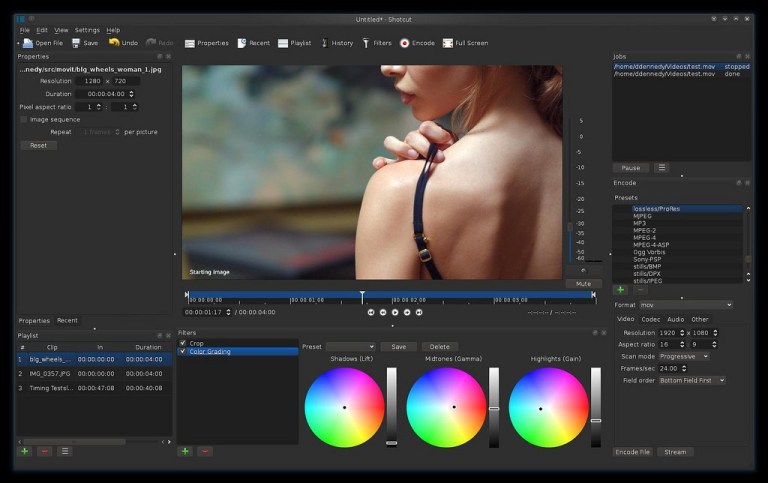
Shotcut Video Editing Software

Shotcut Video Editing Software

 Shotcut is another video editor for Linux that can be put in the same league as Kdenlive and OpenShot. While it does provide similar features as the other two discussed above, Shotcut is a bit more advanced, with support for 4K videos.

Support for a number of audio and video formats, transitions, and effects are some of the numerous features of Shotcut. An external monitor is also supported here.

Shotcut features

  • Cross-platform, available on  Linux, macOS, and Windows
  • Support for a wide range of video, audio, and image formats
  • Native timeline editing
  • Mix and match resolutions and frame rates within a project
  • Audio filters, mixing, and effects
  • Video transitions and filters
  • Multitrack timeline with thumbnails and waveforms
  • Unlimited undo and redo for playlist edits, including a history view
  • Clip resizing, scaling, trimming, snapping, rotation, and cutting
  • Trimming on source clip player or timeline, with ripple option
  • External monitoring on an extra system display/monitor
  • Hardware support

Pros

  • All-purpose video editor for common video editing needs
  • Support for 4K videos
  • Available on Windows and macOS along with Linux

Cons

Too many features reduce the simplicity of the software

Installing Shotcut

Shotcut is available in Snap format. You can find it in Ubuntu Software Center. For other distributions, you can get the executable file from its download page.

Flowblade Video Editing Tool

Flowblade Video Editing

Flowblade is a multitrack non-linear video editor for Linux. Like the above-discussed ones, this too is free and open source software. It comes with a stylish and modern user interface.

Written in Python, it is designed to be fast and precise. Flowblade has focused on providing the best possible experience on Linux and other free platforms, so there’s no Windows or macOS version for now. It feels good to have a Linux exclusive.

Flowblade features

  • Lightweight application
  • Provide simple interface for simple tasks like split, merge, overwrite, etc.
  • Plenty of audio and video effects and filters
  • Supports proxy editing
  • Drag and drop support
  • Support for a wide range of video, audio, and image formats
  • Batch rendering
  • Watermarks
  • Video transitions and filters
  • Multitrack timeline with thumbnails and waveforms

Pros

  • Lightweight
  • Good for general purpose video editing

Cons

  • Not available on other platforms

Installing Flowblade

Flowblade should be available in the repositories of all major Linux distributions. You can install it from the software center. More information is available on its download page.

Cinelerra Video Editing Tool

Cinelerra Video Editing

Cinelerra has been available since 1998 and has been downloaded over 5 million times. It was the first video editor to provide non-linear editing on 64-bit systems back in 2003. It was a go-to video editor for Linux users at that time, but it lost its sheen after some developers abandoned the project.

The good thing is that it’s back on track and is being developed actively again.

Cinelerra features

  • Non-linear editing
  • Support for HD videos
  • Built-in frame renderer
  • Various video effects
  • Unlimited layers
  • Split pane editing

Pros

  • All-purpose video editor


Cons

  • Not suitable for beginners
  • No packages available

Installing Cinelerra

You can download the source code from SourceForge. More information on its download page.

Blender Video Editing Tool

Blender is a professional, industry-grade, open source, cross-platform video editor. It is popular for 3D works. Blender has been used in several Hollywood movies, including the Spider-Man series.

Blender Video Editing Tool

Although originally designed for 3D modeling, it can also be used for video editing and has input capabilities with a variety of formats.

Blender features

  • Live preview, luma waveform, chroma vectorscope, and histogram displays
  • Audio mixing, syncing, scrubbing, and waveform visualization
  • Up to 32 slots for adding video, images, audio, scenes, masks, and effects
  • Speed control, adjustment layers, transitions, keyframes, filters, and more

Pros

  • Cross-platform
  • Professional grade editing

Cons

  • Complicated
  • Mainly for 3D animation, not focused on regular video editing

Installing Blender

The latest version of Blender can be downloaded from its download page.

Conclusion

Thanks for staying till now ready and getting enlightened on Video Editing Software for Windows, Mac And Linux. By Now you must have seen so many different Software for professional and Beginner including paid and Free and am glad you stayed till now reading this Article, Please feel free to drop your Review and what you think about this topic.

Review the best Video editors and Video editing software available today in 2021. Fancy a simple free editor or ADOBE PREMIERE, we review them all.
© 2026 all rights reserved
ComfortSkillz Blog